Zimbabwe eVisa Approval Letter Printout: Delivery, Boarding Checks and Scam Warnings
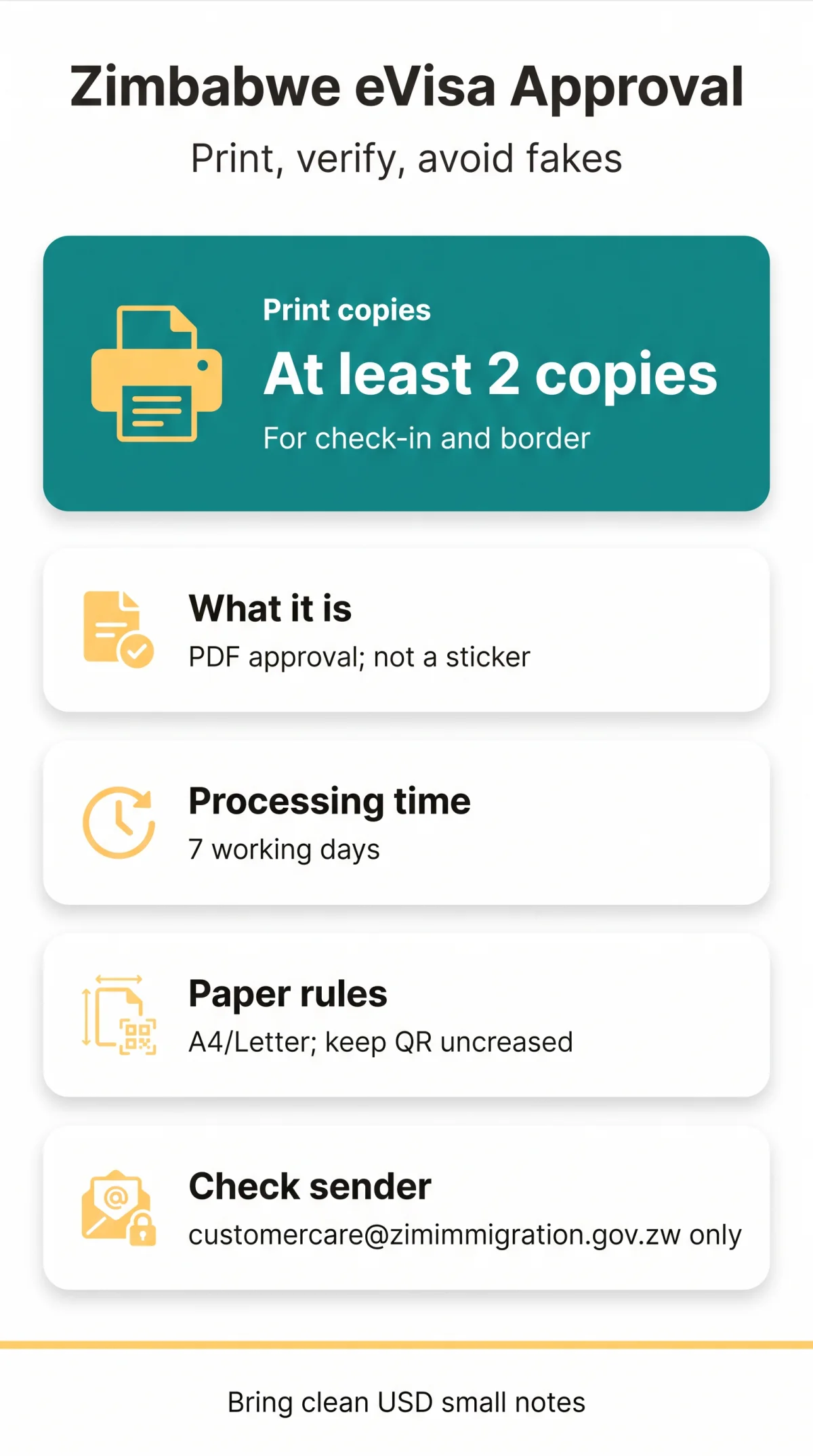
After approval, the Zimbabwe Department of Immigration emails your eVisa approval letter as a PDF; processing takes seven working days on average and can take longer. It's a pre-entry authorisation, not a visa sticker, and you must print it for airline checks and border formalities. This guide covers receiving, printing, verifying and protecting your Zimbabwe eVisa approval letter printout.
This is an independent guide for UK travellers, not a government site. You apply on the Zimbabwe eVisa platform (evisa.gov.zw) yourself; prepaid visa types are paid during the application, visa-on-arrival types at the port of entry. We don't submit applications or charge fees.

What the Approval Letter Is and When It Arrives
The document is called a "Visa Approval Letter" or "Letter of Authority", emailed as a PDF attachment or download link once your application is approved. It isn't a visa vignette in your passport; it's pre-entry clearance that lets you board your flight and collect the actual visa at the border.
Processing takes about seven working days on average, so the portal advises applying at least three weeks before departure. When the PDF arrives, check immediately that every detail on the letter matches your passport exactly, together with the validity dates. A mismatch in your passport data makes the approval invalid, so catch errors before you print.
One difference worth remembering: the letter authorises entry; the border officer decides how long you stay.
What to Do If the Approval Email Never Arrives
How to Print Your Zimbabwe eVisa approval letter printout
Print at least two copies on standard A4 or Letter paper, keeping the QR code clean and uncreased.
| Setting | What to choose | Why it matters |
|---|---|---|
| Paper size | A4 or Letter | Standard size for airline desks |
| Folding | No crease across the QR code | A folded code may not scan |
Carry one printout for the airline at check-in and one for the border officer, plus a spare in your hand luggage.
The letter carries a QR code with encrypted applicant and visa data, while your application details are held in the Department's secure systems. Keep the code clean and undamaged so it can be read at check-in and at the border.
Why a Paper Copy Matters at Check-in
Airlines and immigration officers expect a printed letter, so carry paper copies even if you also keep the file on your phone.
Airline Boarding Checks
At check-in the airline needs to see your approval letter before issuing a boarding pass, because the letter is what shows you are authorised to enter Zimbabwe and collect your visa on arrival.
At the Border: Sticker, Fees and Validity Windows
Present your paper printout at the port of entry, and the officer converts it into an actual visa. Here's the sequence:
Fees are $30 for single entry, $45 for double entry and $50 for the KAZA UNIVISA. Prepaid visa types are paid during the online application; for visa-on-arrival categories the fee is paid in US dollars at the port of entry. Bring clean US dollars in small notes; worn or large notes cause friction you don't need after a long flight.
Your passport needs at least six months' validity from your planned entry date and at least three blank pages for stamps and vignettes. Accepted ports include Harare and Joshua Mqabuko Nkomo (Bulawayo) international airports and land borders such as Beitbridge, Chirundu, Kariba, Nyamapanda, Forbes-Mutare, Plumtree and Victoria Falls. The KAZA UNIVISA is issued at Harare, Bulawayo and Victoria Falls airports and at the Victoria Falls and Kazungula land borders.
Single, Double and Multiple Entry Validity
The validity period on your letter is your window to enter Zimbabwe, not your permitted stay. A single-entry letter is valid for one month (30 days) from the date of issue. A double-entry letter lasts three months (90 days), and a multiple-entry letter six months. A multiple-entry visa on arrival is available only to nationals of the UK, USA and Canada.
The KAZA UNIVISA covers 30 days, works for Zimbabwe and Zambia, and allows day trips to Botswana through Kazungula, for designated nationalities only.

Spotting Fake Approval Letters and Scam Websites
Some sites are commercial intermediaries that add a service fee to the free government form; others are outright fraud, impersonating the Department, writing from free webmail accounts and issuing letters with no usable QR code. Here's how the genuine document compares:
| Feature | Genuine letter | Fake letter |
|---|---|---|
| Sender email | Department of Immigration address such as customercare@zimimmigration.gov.zw | Gmail, Yahoo or Outlook address |
| QR code | Encrypted, scans against immigration systems | Missing, broken, or leads nowhere |
| Layout | Department of Immigration letterhead, your passport details, validity dates and a QR code | Poor typography, missing seals or reference number |
| Fees | $30 - $50 government tariff, paid online during the application or in US dollars at the port of entry | Inflated charges demanded online |
| Website | evisa.gov.zw, secure connection | Copycat domain, unencrypted page |
Type evisa.gov.zw into your browser yourself rather than following emailed links, and check the address bar before paying anything or uploading your passport scan.
What to Do If Your Printed Approval Contains Errors
Never correct a mistake by hand. An approval letter whose data doesn't match your passport is invalid, so contact the Immigration Office instead. Fees cover processing, not a guaranteed visa, and refunds aren't issued for unused or refused applications.
- Check the error before you travel, not at the airport.
- Email customercare@zimimmigration.gov.zw explaining the mistake.
- Submit a new application if advised; travel date changes also require a new application.
- Leave enough time before departure, ideally the three-week minimum.
Common Mistakes to Avoid Before You Fly
- Relying on a phone PDF at check-in; print two paper copies instead.
- Folding the printout across the QR code. A creased code may not scan at the border; fold elsewhere or use a sleeve.
- Assuming you can change travel dates later. No amendments are allowed; you must apply again.
- Carrying large or old USD notes. Border fees need clean US dollars in small notes.
Frequently Asked Questions (FAQ)
How do I print my Zimbabwe eVisa approval letter printout correctly?
Use standard A4 or Letter paper and print at least two copies, keeping the QR code clean and uncreased so the code and your details stay readable at check-in and at the border.
What does the Zimbabwe eVisa approval email look like?
It's a short message from the Department of Immigration with your approval letter attached or available to download; the letter carries your passport details, the validity dates and a QR code.
How long does the Zimbabwe eVisa approval letter take to arrive?
Processing averages seven working days, which is why the portal recommends applying at least three weeks before departure. If it hasn't arrived, check spam, verify the sender domain, then retrieve it from the portal.
Can I show my Zimbabwe eVisa approval letter on my phone instead of printing it?
Plan on paper. The airline needs to see the printed approval letter at check-in and the immigration officer works from the printout when issuing your visa, so print at least two copies and treat the file on your phone only as a backup.
How many copies of my Zimbabwe eVisa approval letter should I print?
Print at least two: one for the airline at UK departure and one for the border officer on arrival. Keep a spare in your hand luggage in case one gets damaged or taken.
How can I spot a fake Zimbabwe eVisa approval letter?
Check the sender first: genuine mail comes from the Department of Immigration at customercare@zimimmigration.gov.zw, never from Gmail or Yahoo. Then test the QR code; a missing or dead code, poor layout or inflated online fees point to fraud.
What if my Zimbabwe eVisa approval letter has an error in my passport details?
Don't hand-correct it. A passport data mismatch invalidates the approval, so email customercare@zimimmigration.gov.zw or submit a new application, allowing enough time before your flight. Fees aren't refunded.
Where do I download my Zimbabwe eVisa approval letter if the email never arrives?
Your letter stays available in your evisa.gov.zw account: sign back in with the email address and password you registered, or open Track Your Application, and download it from there. An undelivered email doesn't stop your trip.
Sources and Further Reading
- evisa.gov.zw - the Zimbabwe eVisa platform where you apply, track and download your approval letter.
- evisa.gov.zw FAQ - answers on processing times, validity windows, fees and corrections.
- Electronic Visa Application (Zimbabwe Embassy, Gaborone) - explains the Letter of Authority and border collection.
- GOV.UK Zimbabwe entry requirements - UK travel advice on passports, fees and border rules.
Rules can change, so confirm details on the portal before you travel.