How to Track Zimbabwe eVisa Application Status With Your Reference Number
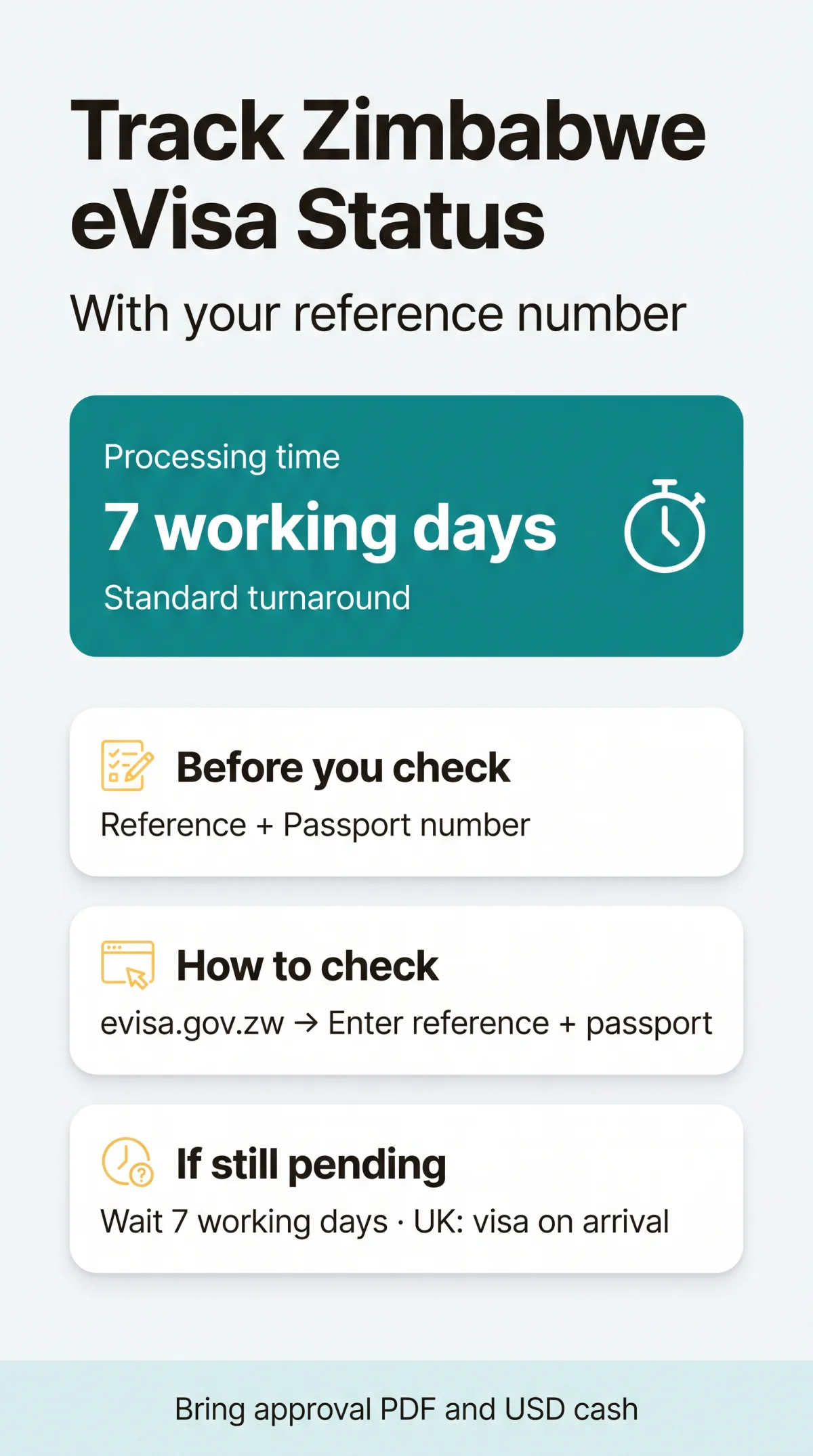
To track your Zimbabwe eVisa application status, enter your application reference number and passport number into the Department of Immigration lookup tool at evisa.gov.zw. Standard processing takes seven working days. If your status stays pending close to departure, UK passport holders do not need an approved eVisa in advance; they pay for and obtain a visa on entering Zimbabwe.
This guide is written for UK travellers in the post-submission phase. It's an independent, free advice portal, not a government site and not a visa operator: we don't process applications or take fees. Always verify your final record on the government portal yourself.

What You Need Before You Check Your Status
Gather your reference number and passport number before you open the tracking tool; the registered email address is needed only if you log in to an account you created when applying.
- Application Reference Number - the code from the email confirming submission of your application.
- Passport number - exactly as it appears on your passport biodata page.
- Registered email address - the one you used when applying, needed only if you log in to your account rather than using the guest lookup.
Apply at least 3 weeks before your travel date, and leave more time if you are reapplying after a rejection.
Step-by-Step: Track Zimbabwe eVisa Application Status Online
You can check as a registered account holder or through a guest lookup. Didn't get an email update? Check your spam folder.
What Each Status Means
- Received - your application is in the system, waiting for an officer.
- In Process / Under Review - an officer is verifying your documents. This is normal.
- Pending Requirements / Action Required - something's missing or unclear, and you must fix it.
- Approved - you'll receive the Visa Approval Letter by email as a PDF.
- Visa Sent - the approval letter has been sent out to you.
- Rejected - there is no formal appeal. You can submit a corrected new application or apply for a sticker visa at the nearest Zimbabwean embassy or consulate.
- Cancelled - the application has been closed and you must start a new one.
Fixing "Action Required" and Using Your Approval Letter
If your status shows Action Required, the missing item is usually one of the required documents: the passport bio page image, the flight or hotel booking, or the host's invitation letter. Re-upload the requested documents promptly, within the deadline given in the email, because a missed deadline can delay the decision or lead to rejection.
Once approved, download the PDF Visa Approval Letter and keep a printed or digital copy with your passport for arrival in Zimbabwe. The letter carries a QR code storing encrypted application data. A single-entry visa or KAZA UniVisa is valid for 1 month from the issue date, a double-entry visa for 3 months and a multiple-entry visa for 6 months, while your permitted stay, up to 30 days, is set by the border officer at entry.
Processing Times and Lookup Errors
Decisions normally take seven working days - working days exclude weekends and Zimbabwean public holidays. In peak tourist season, queues can stretch to 10 working days.
| Scenario | What it means | What you do |
|---|---|---|
| Under 7 working days since submission | Normal review window | Wait until the seven working days have passed before chasing |
| Over 7 full working days, no change | Outside the standard turnaround | Email the Department of Immigration |
| "Record Not Found" | Portal downtime or details entered differently than in the application | Re-check the reference number and passport number, then retry later |
If you see "Record Not Found", re-check the reference number and passport number against your confirmation email, strip any spaces from the reference number, and try again later, as the portal also has periods of downtime. If the portal is slow or times out, try again outside peak hours or switch to Google Chrome, Mozilla Firefox or Microsoft Edge.
Departure Near and Still Pending: Your Fallback
UK passport holders fall into Zimbabwe's visa-on-arrival group: no visa is required in advance, but it must be paid for and obtained on entry. A pending application does not remove your entitlement to pay for the visa at the border.
- Bring US dollars in cash - the fee is paid at the port of entry and the amount depends on the visa type; check the current fee in the visa regime tables on the government portal.
- Keep your application confirmation, booking and accommodation details to hand - they are the same documents the application itself requires.
The KAZA UniVisa covers 30 days of unlimited tourist crossings between Zimbabwe and Zambia. UK citizens can also get a multiple-entry visa on arrival, valid for 6 months from issue.
What a Pending eVisa Means for UK Travellers
British passport holders are not required to hold a visa before travel: the visa is paid for and obtained at the Zimbabwean port of entry. Keep your application confirmation with the reference number to hand.

How to Escalate a Stuck Application
Wait until seven full working days have passed before chasing; then email customercare@zimimmigration.gov.zw. The Harare office works 07:45 - 16:00, Monday to Friday, except on public holidays. Leave 2 - 3 working days between follow-ups, and prepare a backup plan for your travel dates if no decision arrives.
Put your reference number and travel date in the subject line. In the body include your full name, reference number, passport number, submission date and travel date. The department's headquarters is at Cnr. Herbert Chitepo / Leopold Takawira, Harare, Zimbabwe, though email is the practical channel from the UK.
Errors After Submission: What Can Be Changed?
There is no online edit function after submission. To correct a detail you must submit a new application or contact the Department of Immigration for assistance.
| Error type | Example | What to do |
|---|---|---|
| Critical mismatch | Wrong passport number | Reapply online or use visa on arrival at the airport |
| Minor date shift | Entry date moved but still inside the visa's validity period | Nothing - you may enter on any date within that period |
A wrong passport number voids the approval, because the eVisa must match your travel document. If your travel dates fall outside the validity period, a new eVisa must be obtained. Fees are non-refundable, even if the application is rejected or the visa goes unused - so double-check every field before you submit a fresh application.
Frequently Asked Questions (FAQ)
How do I track my Zimbabwe eVisa application status with a reference number?
Open the tracking section of evisa.gov.zw, enter the reference number from your submission confirmation email together with your passport number, and complete the CAPTCHA. The portal then shows the current stage of your application; if you created an account when applying, you can log in instead and see the same record.
What does "pending" mean on my Zimbabwe eVisa application?
It means your application was received and is queued for review. Standard processing takes seven working days, so pending status within that window is routine. If nothing changes after seven full working days, email the Department of Immigration; in peak season decisions can take closer to 10 working days.
Why does the tracking portal show "Record Not Found"?
Usually portal downtime or details entered differently from the application. Check the reference number and passport number against your confirmation email, remove any stray spaces from the reference number, and retry later.
My flight is in 48 hours and my eVisa is still pending - what should I do?
You don't need to cancel. As a UK passport holder you're in Zimbabwe's visa-on-arrival group, so you can pay for and obtain a visa at Harare, Victoria Falls or Bulawayo airport. The KAZA UniVisa is available only at Robert Gabriel Mugabe International Airport, Victoria Falls International Airport, Victoria Falls Land Barrier and Kazungula Border Post. Bring US dollars in cash and keep your submission confirmation to hand.
Can British citizens get a visa on arrival if the eVisa approval does not arrive?
Yes. The UK is in Zimbabwe's visa-on-arrival group, which covers single-entry, double-entry, multiple-entry (available to UK, USA and Canada) and KAZA UniVisa purchases at the port of entry. You pay in US dollars cash.
How do I contact Zimbabwe Immigration about a stuck application?
Email customercare@zimimmigration.gov.zw with your reference number, passport number, submission date, and travel date. The Harare office is open 07:45 - 16:00, Monday to Friday, except on public holidays. Allow 2 - 3 working days between follow-ups, and have a backup plan ready if no decision arrives before your departure.
Can I correct a typo in my passport number after submitting my eVisa application?
No. There is no way to edit your details online after submission; to correct a mistake you must submit a new application or contact the Department of Immigration for assistance. A wrong passport number invalidates the eVisa, so you would reapply with corrected details or pay for a visa on arrival at the airport instead.
Do I need to print the Zimbabwe eVisa approval letter, or is a phone copy acceptable?
Either is accepted - the rules require a printed or digital copy of the approval letter on arrival. A printout is the safer option if your phone battery or signal fails, so many travellers carry both.
Sources and Further Reading
- Zimbabwe eVisa Platform - the government portal where you submit and track applications.
- Zimbabwe eVisa FAQs - processing times, validity rules, and contact details.
- Electronic Visa Application - background on the eVisa system from the Zimbabwe embassy in Botswana.
Rules and processing times can change, so confirm your own application details on the government portal before you travel.