What Documents Are Required for an eVisa to Zimbabwe? Complete Checklist
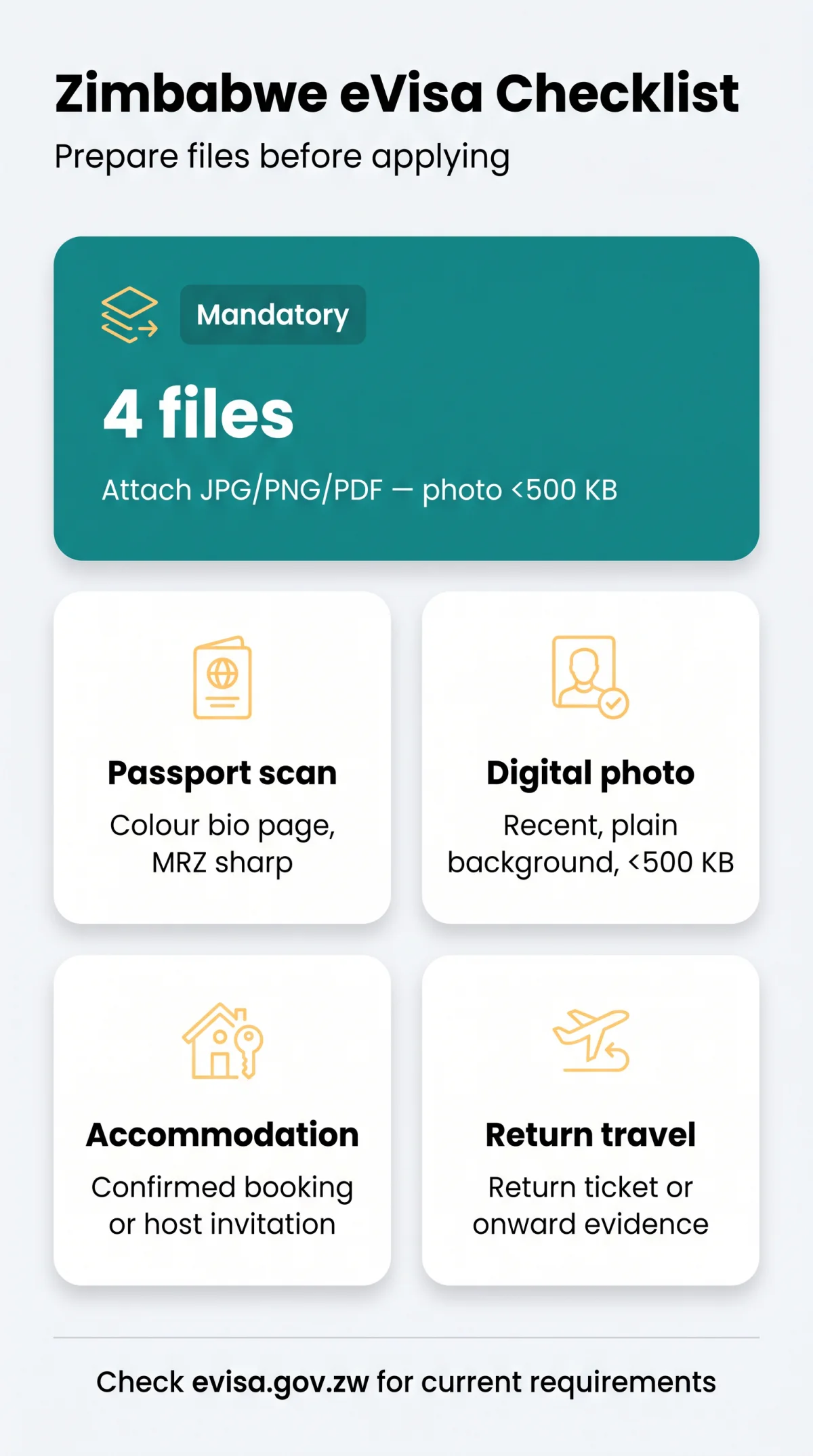
If you're wondering what documents are required for an eVisa to Zimbabwe, the answer is short: a colour scan of your passport bio page, a recent digital photo, proof of accommodation, and a return flight itinerary. Some applicants also add three months of bank statements or a host invitation letter. Documents go up as JPG, PNG or PDF; the facial photo has a tighter size limit than the other attachments.
This guide is written for UK-based travellers preparing their files before starting the online form. We're an independent information portal, not a government body, and we don't take fees or submit applications on your behalf. You apply through Zimbabwe's immigration eVisa portal at evisa.gov.zw, and you should confirm current requirements there before travelling.
Who Needs to Apply Online? Visa Categories Explained
Whether you must apply online depends on which Zimbabwe visa category your nationality falls into. Zimbabwe's immigration authorities sort travellers into three visa categories:
- Category A: visa-exempt, no eVisa needed.
- Category B: eligible for a visa on arrival or an online eVisa before departure. Check your nationality against the current category list before you apply. Applying online in advance saves time at the border.
- Category C: an eVisa is required before departure. Your category follows your nationality, not where you live.
What Documents Are Required for an eVisa: Full Checklist
Four files are mandatory for every applicant; the rest depend on your situation.
| Document | Purpose | Status | Accepted format |
|---|---|---|---|
| Passport bio page scan | Identity and travel document number | Mandatory | JPG, PNG, PDF |
| Digital passport photo | Identity verification | Mandatory | JPG, PNG |
| Proof of accommodation | Where you'll stay | Mandatory | JPG, PNG, PDF |
| Return flight booking | Entry and exit dates | Mandatory | JPG, PNG, PDF |
| 3-month bank statements | Proof of sufficient funds | Conditional | |
| Host invitation package | Private stay verification | Conditional | |
| Business invitation letter | Work or conference purpose | Conditional |
Don't confuse similar items. The portal wants the bio page, not the passport cover or an old visa vignette. It wants a confirmed booking or e-ticket, not a saved search. And it wants bank statements, not credit card confirmations.
Passport Bio Page Scan and Validity Rules
Check the passport validity and blank-page requirements on the Zimbabwe immigration portal before you scan your bio page.
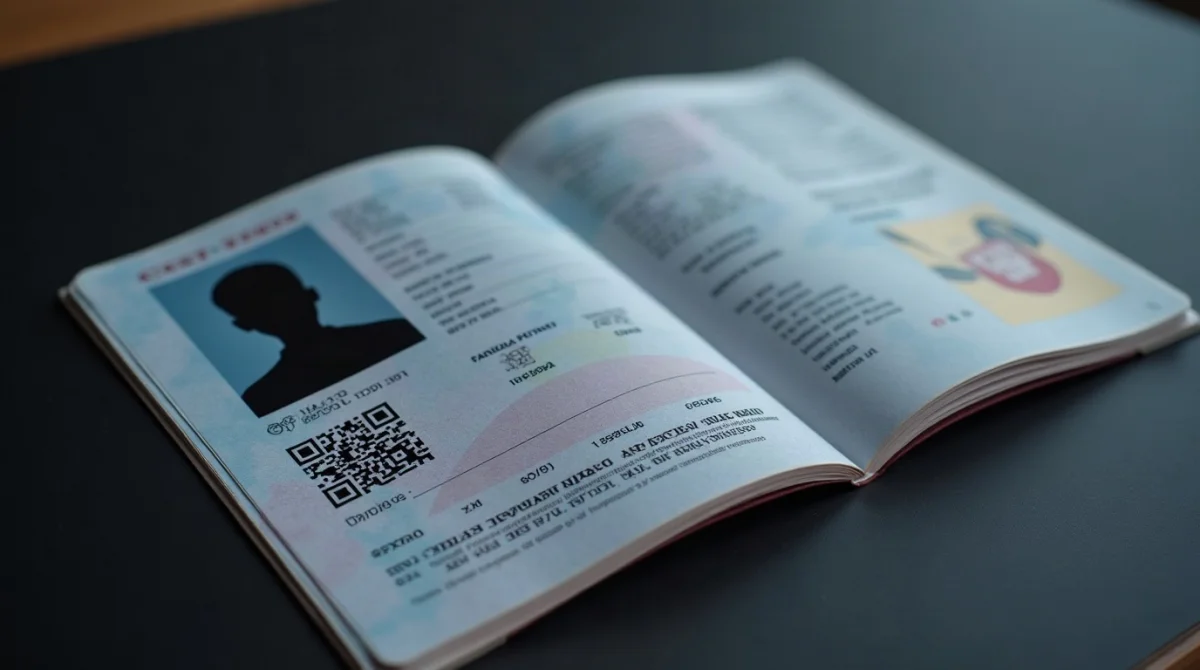
Scan the bio page in full colour at a resolution high enough to keep the text sharp, as a black-and-white copy is not accepted as proof of identity. Don't crop the margins; all four corners of the page must be visible. If you're photographing with a phone, place the passport open on a flat, dark surface and hold the camera directly above it.
Machine Readable Zone (MRZ) Visibility and Anti-Glare Standards
The MRZ, the two or three lines of characters at the bottom of the bio page, must be fully legible.
- Full colour
- All four corners visible
- MRZ characters sharp
- No glare, no shadows
- Flash reflection over the MRZ
- A finger covering page corners
- Low-resolution blur
Disable your flash. The biometric laminate bounces light straight back at the lens and wipes out the MRZ.
Digital Photo Specifications for Your Zimbabwe eVisa
Upload a recent colour, passport-style photo in the size and file limit shown on the portal's upload screen.
- Background: plain, light and even, with no shadows behind your head.
- Expression: neutral, mouth closed, looking straight at the camera.
- Glasses: no sunglasses, and nothing that obscures your eyes or creates reflections.
- Head coverings: only for religious reasons, and your face must stay visible from chin to forehead.
If your appearance has changed, take a fresh one.
Accommodation, Funds, and Flight Itinerary Evidence
These three files tell immigration where you'll sleep, how you'll pay, and when you'll leave. One rule ties them together: make sure the dates on your booking documents match the dates you enter in the form.
Commercial Bookings vs Private Host Invitations
Staying at a hotel, lodge, or safari camp? Upload the confirmed reservation or tour operator voucher showing the full property address, contact details, booking reference, and dates matching your itinerary.
Staying with friends or family? Your host in Zimbabwe needs to provide a signed invitation letter, a copy of their Zimbabwe National ID or valid residence/work permit, and evidence of their residential address. The letter should state your name, your host's name and address, and your planned dates of stay.
Bank Statements and Proof of Sufficient Funds
If funds evidence is requested, provide statements from the last 3 months showing your name and account details. If someone is funding your trip, add their signed letter of support and their bank statements.
Return Flights vs Overland Safari Transit
The standard evidence is a confirmed return flight booking or e-ticket showing your entry and exit dates. If you're leaving overland, upload evidence of your onward travel arrangements instead of a flight booking.
Business or conference visitor? Add an invitation letter from the host organisation in Zimbabwe.
File Formats, Size Limits, and Portal Upload Steps
Every upload must fit the portal's technical limits, or the upload simply fails.
| Attachment | Allowed formats | Size limit |
|---|---|---|
| Facial photograph | .jpg, .jpeg, .png | Under 500 KB |
| Passport bio page scan | .jpg, .jpeg, .png, .pdf | 2 MB |
| Bank statements | 2 MB | |
| Accommodation and tickets | .jpg, .jpeg, .png, .pdf | 2 MB |
Name files with plain Latin letters, numbers and underscores only, and avoid spaces, accents and punctuation. Compress oversized PDFs or images with a free tool before you start.
to the specification above.
in the online form carefully.
to the matching upload field in the form.
before saving the application.
using one of the payment methods offered in the form and keep the transaction reference.
One warning worth remembering: check your passport number and dates carefully before you submit, as corrections after submission are handled by the immigration office.
Apply only through Zimbabwe's immigration eVisa portal at evisa.gov.zw. Commercial intermediaries charge a service fee on top of the government fee; a scam site is one that pretends to be the immigration authority itself.
Common Mistakes That Get Applications Rejected
- Grainy MRZ scan: flash glare hides the character strip. Fix: disable the flash and scan on a dark surface.
- Oversized files: uploads that exceed the portal's size limits fail. Fix: compress before you start the form and see the size limits above.
- Mismatched dates: hotel or flight dates that differ from the dates in the form. Fix: cross-check every date before saving.
- Old photo: your photo should be recent and still look like you. Fix: take a fresh photo against a plain background.
- Wrong page scanned: the passport cover carries no personal data. Fix: scan the bio page with your photo and details.
Port of Entry: Paperwork to Carry on Arrival
An approved eVisa doesn't remove the border check, so pack paper copies:
- Printed eVisa approval letter or clearance.
- The physical passport you applied with, same document number.
- Paper copies of your hotel booking and return ticket.
Frequently Asked Questions (FAQ)
What documents are required for an eVisa application to Zimbabwe?
Four files: a colour passport bio page scan, a recent digital photo, proof of accommodation, and a confirmed return or onward ticket. Bank statements and invitation letters are added when the situation calls for them.
How much passport validity do I need for a Zimbabwe eVisa?
Your passport needs to remain valid well beyond your stay, counted from your planned entry date, and it should still have consecutive blank pages for the entry and exit stamps. Confirm the exact figures on the Zimbabwe immigration portal before you apply.
What is the maximum file size for document uploads on the eVisa portal?
Your facial photograph must stay under 500 KB. Every other attachment, including the passport scan and bank statements, can be up to 2 MB per file in JPG, PNG, or PDF format.
Can I submit a black and white scan of my passport bio page?
No, the bio page has to be scanned in colour. Show all four corners of the page, keep the Machine Readable Zone sharp and legible, and avoid flash glare, which is the most common reason a scan cannot be read.
Do I need a return flight ticket before applying for a Zimbabwe eVisa?
Yes, a confirmed return booking or e-ticket showing your entry and exit dates. Overland travellers can upload evidence of their onward travel arrangements instead of a flight booking.
What proof of accommodation is needed if I stay with friends or family?
If you are staying privately, your host in Zimbabwe should provide a signed invitation letter with your name, their name and address, and your planned dates, together with a copy of their National ID or residence permit and evidence of their address.
Is travel insurance mandatory for a Zimbabwe eVisa?
Travel insurance is not part of the document checklist for the eVisa application. Whether you take out cover is your own decision, and it is separate from the immigration requirements described in this guide.
What should I do if my document upload fails due to file size?
Compress the PDF or image with a free online tool until it fits the size limits outlined above. Also check the file extension is .jpg, .jpeg, .png, or .pdf, and rename it without spaces or special characters.
Sources and Further Reading
- Zimbabwe immigration eVisa portal (evisa.gov.zw), the application system where current document requirements are published.
Requirements can change, so check the Zimbabwe immigration portal before you travel.